SPEAK TO US: 07791 321943

IT and CAD Curriculum Overview
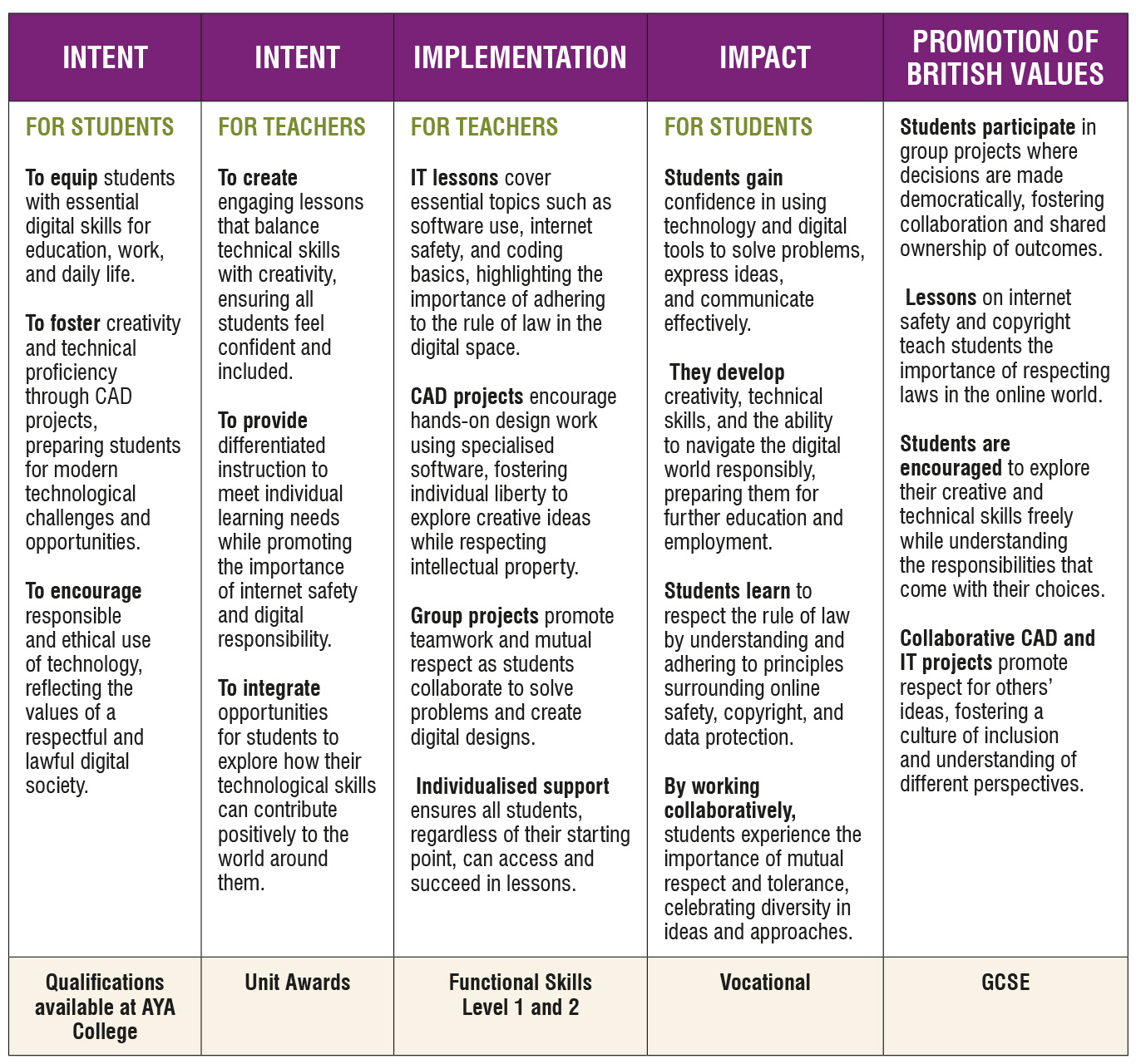
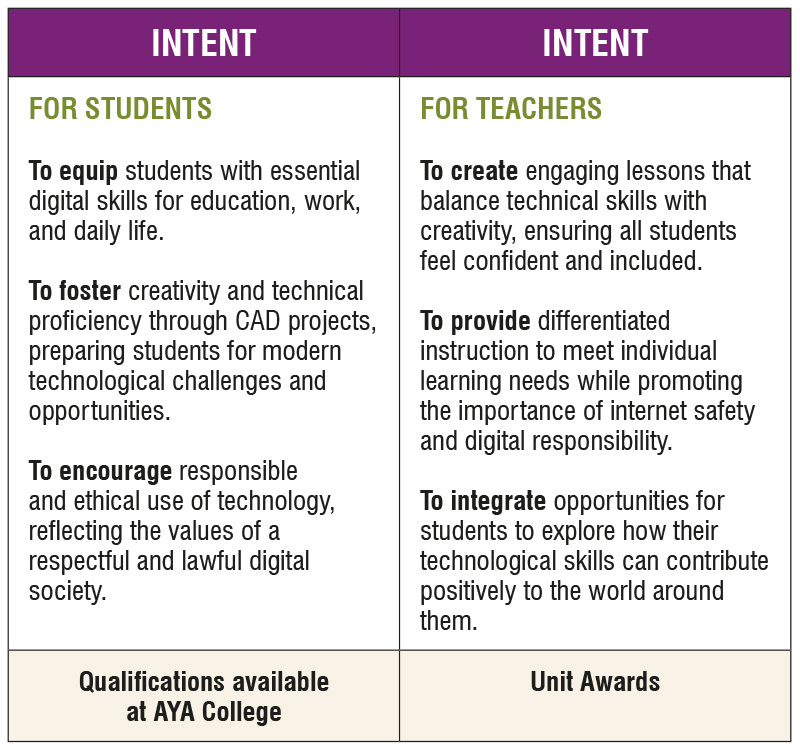
Information Technology (IT) and Computer Aided Design (CAD) Curriculum at Aya College is designed to provide students with essential digital skills, technical knowledge, and creative problem-solving abilities. It is carefully tailored to meet the needs of learners with Social, Emotional, and Behavioural Difficulties (SEBD), ensuring that every student can thrive in a supportive, engaging, and adaptable environment. The curriculum focuses on building confidence in using technology while preparing students for academic qualifications, future careers, and the demands of an increasingly digital world.
Key Stage 3 (KS3): Developing Digital Literacy and Creativity
At KS3, the focus is on introducing students to the basics of IT and CAD, building foundational skills, and fostering confidence in technology use.
Information Technology (IT)
Core Areas:
- Understanding Computers: Introduction to hardware, software, operating systems, and networks.
- Digital Literacy: Practical use of tools such as word processors, spreadsheets, presentation software, and email.
- Online Safety: Learning to stay safe online, managing digital footprints, and understanding responsible use of social media.
- Basic Coding: Introduction to programming concepts using block-based platforms like Scratch.
- Problem-Solving: Using IT to solve real-world challenges, such as creating a budget, designing a presentation, or analysing data.
Approach:
- Practical Projects: Students work on engaging tasks tied to real-life scenarios, such as creating slideshows, editing videos, or designing simple websites.
- Interactive Learning: Lessons include activities such as gamified coding challenges and group projects to encourage collaboration.
- Accessibility: Tasks are differentiated to accommodate a range of learning styles and abilities.
Goals:
- Build confidence in using everyday digital tools.
- Develop problem-solving and critical thinking skills through IT-based projects.
- Foster an understanding of responsible and safe use of technology.
Computer-Aided Design (CAD)
Core Areas:
- Introduction to CAD: Learning what CAD is and how it is applied in industries like architecture, engineering, and design.
- Basic Design Principles: Exploring shapes, patterns, and structures.
- 2D and 3D Modelling: Using beginner-friendly tools like Tinkercad to create simple designs.
- Practical Applications: Linking CAD activities to real-world use cases, such as designing a room layout or creating a 3D object.
Approach:
- Creative Exploration: Students are encouraged to experiment with design tools and express their creativity.
- Hands-On Learning: Lessons focus on practical tasks, such as creating and modifying digital models.
- Personalised Support: Students receive tailored guidance to match their skill level and interests.
Goals:
- Introduce students to the basics of CAD software and design thinking.
- Encourage creativity and spatial awareness using digital tools.
- Build confidence in applying technology for creative purposes.
Key Stage 4 (KS4): Advancing Skills for Qualifications and Careers
At KS4, the curriculum deepens students’ IT and CAD knowledge while preparing them for qualifications and exploring career-relevant applications of technology.
Information Technology (IT)
Core Areas:
- Advanced IT Skills: Proficiency in tools like Word, Excel, and PowerPoint, with a focus on their use in professional settings.
- Digital Communication: Creating websites, blogs, and multimedia projects.
- Coding and Programming: Introducing text-based coding languages like Python and app development.
- Data Management: Collecting, analysing, and presenting data using spreadsheet tools.
- IT in the Workplace: Exploring the role of IT in industries such as business, healthcare, and logistics.
Approach:
- Qualification Pathways: Students work towards qualifications such as GCSE Computer Science, Functional Skills ICT, or other vocational certifications.
- Project-Based Learning: Students undertake practical projects such as designing websites, creating digital marketing campaigns, or coding simple applications.
- Exam Preparation: Structured support is provided for coursework and assessments, including practice tasks and revision sessions.
Goals:
- Equip students with advanced IT skills for academic qualifications and employment.
- Develop logical thinking, adaptability, and problem-solving skills through technology use.
- Prepare students for further education and digital careers.
Computer-Aided Design (CAD)
Core Areas:
- Advanced CAD Tools: Using professional software like Autodesk Tinkercad, Fusion 360, or SketchUp to create detailed 2D and 3D designs.
- Design Projects: Creating complex models such as product prototypes, architectural plans, or engineering components.
- Industry Applications: Exploring CAD’s role in fields like manufacturing, graphic design, and engineering.
- 3D Printing: Linking CAD work to emerging technologies such as 3D printing and prototyping.
Approach:
- Creative and Practical Projects: Students tackle real-world design challenges, such as creating a product model, building a 3D object, or designing a floor plan.
- Portfolio Development: Students compile their work into a professional portfolio to showcase their skills.
- Personalised Guidance: Support is tailored to student interests, such as architecture, product design, or engineering.
Goals:
- Develop advanced CAD skills and an understanding of design principles.
- Prepare students for further education, training, or careers in design-related fields.
- Foster creativity, innovation, and problem-solving abilities.
SEBD Considerations in IT and CAD
- Therapeutic Approach: Lessons are designed to provide a calm, supportive environment that reduces anxiety and encourages engagement.
- Hands-On and Visual Learning: Practical tasks and visual aids support students who learn best by doing and seeing.
- Flexible Content: Lessons are adapted to individual interests and abilities, maintaining motivation and engagement.
- Real-World Relevance: IT and CAD activities are tied to practical applications, demonstrating their value in everyday life and future careers.
Cross-Curricular Links
- Maths: Coding and data analysis reinforce mathematical concepts like logic, patterns, and graphing.
- Art and Design: CAD projects link to creative design and aesthetics.
- Science: Technology supports experiments, simulations, and engineering projects.
- PSHE: Online safety and responsible digital citizenship are emphasised.
Overall Impact
The IT and CAD curriculum at Aya College aims to:
- Equip students with essential skills for the digital world.
- Foster creativity, problem-solving, and critical thinking through engaging technology and design projects.
- Prepare students for qualifications and careers in technology, design, and related fields.
- Build confidence and independence in using digital tools and software.
- Inspire an interest in technology and innovation, empowering students to succeed in a rapidly evolving digital landscape.
By offering a flexible and supportive learning environment, Aya College ensures that all students can thrive in IT and CAD, regardless of their starting point or challenges. The curriculum helps students develop the skills, qualifications, and confidence needed to navigate the digital world and pursue future opportunities.